Make Money with AI Agent-powered Product Catalog Assistants
Why Standard Google Sheets + AI Workflows Break at Scale
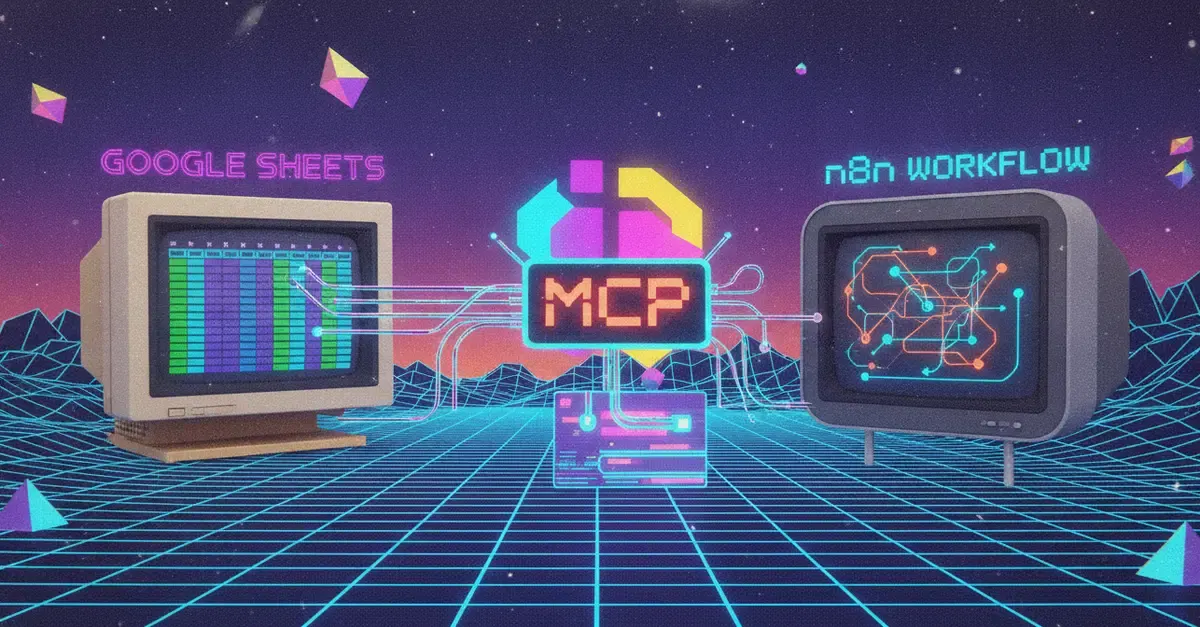
If you’ve ever tried to build an AI-powered product catalog assistant using a basic n8n workflow, you’ve likely hit the same wall most builders face early on. The common setup looks simple: use n8n’s native Google Sheets node to pull every row from your product catalog, dump the full dataset into your LLM’s prompt, and let the model answer user questions. For small catalogs with 50 to 100 rows, this works fine. But as soon as you hit 2,000+ products, the setup collapses under its own weight.
Full dataset dumps eat up your entire context window, drive token costs through the roof, and create slow, laggy responses for end users. Worse, the LLM wastes most of its attention filtering out irrelevant rows it never needed to process in the first place. The problem isn’t the model, and it isn’t n8n — it’s the fact that you’re pre-loading all possible data upfront, instead of letting the AI fetch only what it needs to answer a specific question.
The Fix: Let Your AI Agent Fetch Data On Demand With MCP
n8n ships a native MCP Client Tool node that integrates directly with its AI Agent node, so you can add this dynamic data fetching capability to your workflow in minutes. Tools like PasteSheet, which publishes Google Sheets as a read-only MCP server, make this setup accessible even if you don’t want to build and host your own MCP endpoint from scratch.
When to Use the Native Google Sheets Node vs. an MCP Server
It’s important to clarify that the native n8n Google Sheets node is not obsolete — it’s still the right tool for deterministic, pre-planned tasks. Use it when you know exactly which data you need at design time: for example, pulling all active products to sync to your Shopify store, updating inventory counts after a sale, or exporting a list of discontinued items for a marketing campaign. The native node is reliable, lets you set exact ranges or filters, and even supports writing data back to your sheet.
The MCP server is for the steps where the AI is in control, not you. Instead of hardcoding a query like “fetch all products where price is under $20 and stock is greater than 0,” you hand the agent the ability to figure out the right query based on the actual question a user asks. It will first read the sheet’s schema to understand what columns are available, then build and run a filtered query to pull only the rows that match the user’s request. This eliminates context bloat, cuts costs, and delivers fast, accurate answers even for catalogs with tens of thousands of rows.
How to Build a Scalable Product Catalog Assistant With n8n and MCP
Building this workflow takes less than 15 minutes, even if you’re new to MCP. Here’s the step-by-step setup:
- Set up your core workflow foundation: Start with a new n8n workflow, add an AI Agent node, and attach your preferred LLM (such as GPT-4o, Claude 3.5 Sonnet, or Llama 3.1) to the agent’s model input.
- Add the MCP Client Tool node: Search for the MCP Client Tool in n8n’s node library, and connect it to the AI Agent node’s tool input slot — the same slot you would use for other agent tools like web search or a calculator.
- Configure your MCP connection: Paste your Google Sheet’s MCP server URL into the node’s server URL field. If you’re using PasteSheet, this URL is available in the “Connect
Authorization: Bearer YOUR_API_KEYheader to the node to keep your product data secure. - Prompt the agent normally: You don’t need to manually list available tools or explain how to call them. The agent automatically pulls the tool list from the MCP server (typically including tools like
get_schemato read your sheet’s columns, andquery_rowsto pull filtered data) and uses them on its own when a user’s question requires sheet data.
For example, a prompt as simple as “Answer customer questions about our product catalog. Note if any requested items are out of stock, and only share information relevant to the user’s question” is enough. If a user asks “Which waterproof hiking boots are under $80 and available in size 10?” the agent will first call get_schema to confirm your sheet has columns for price, category, size, and stock status, then run a filtered query_rows call to pull only matching products, and generate a natural, accurate response.
Monetization Opportunities With This AI Catalog Assistant
- Freelance service offerings: List custom catalog assistant builds on Upwork, Fiverr, or LinkedIn. Small e-commerce brands, local retailers, and digital product creators regularly pay $500 to $2,000 for a custom, scalable assistant that cuts down on customer support workload. You can also offer monthly maintenance plans for $100 to $300 per month to handle sheet updates and workflow tweaks.
- Passive income from workflow templates: Package the pre-built n8n + MCP workflow as a plug-and-play template, and sell it on Gumroad or Etsy for $29 to $99 per license. Users only need to plug in their own Google Sheet and API keys to get a fully functional assistant, no custom development required.
- White-label solutions for agencies: If you work with marketing agencies that manage multiple e-commerce clients, build a scalable version of this assistant that works with any client’s Google Sheet catalog. Charge agencies a monthly retainer for setup, customization, and ongoing support, with minimal ongoing work per new client.
- In-house cost savings for your own store: If you run your own e-commerce business, this assistant can reduce customer support ticket volume by 30% to 50%, cut response times from hours to seconds, and improve conversion rates by giving customers accurate, real-time product information. The ROI of the setup often pays for itself within the first month of use.
One of the biggest selling points of this setup for clients is its simplicity: they can update their product catalog, pricing, or stock status at any time just by editing their Google Sheet, no need to re-train a model, rebuild a workflow, or pay a developer to make changes. That low maintenance overhead makes this assistant far more appealing than custom-built chatbot solutions that require constant technical upkeep.