Make Money with AI Anime Image-to-Video Animation
How to Animate Anime Images with AI: A Step-by-Step PixAI Studio Workflow for Content Creators
Short-form anime content is one of the fastest-growing niches on social media, with billions of views monthly on TikTok, YouTube Shorts, and Instagram Reels. For content creators, AI animation tools have eliminated the need for years of traditional drawing and animation training to produce polished, professional clips. Unlike generic text-to-video AI, which can produce inconsistent character designs and disjointed scenes, image-to-video AI lets you lock in your character, art style, and composition first, then add motion to a finished illustration you already trust. This skill is in extremely high demand right now: freelance animators charge $50 to $300 for a single 5-second custom anime clip on platforms like Fiverr and Upwork, and full-time creators earn thousands per month from anime content channels and digital asset sales.
Why Anime Image-to-Video AI Is a High-Demand Skill for Content Creators
The 7-Step Anime Image-to-Video Workflow Using PixAI Studio
PixAI Studio is a connected workspace that picks up right where your finished illustration leaves off, pulling in artwork you’ve already created on the PixAI platform and carrying it through video generation, editing, and final export all in one place. Follow this step-by-step workflow to turn a static anime image into a smooth, professional short clip:
1. Select a High-Quality
2. Define a Single Core Motion
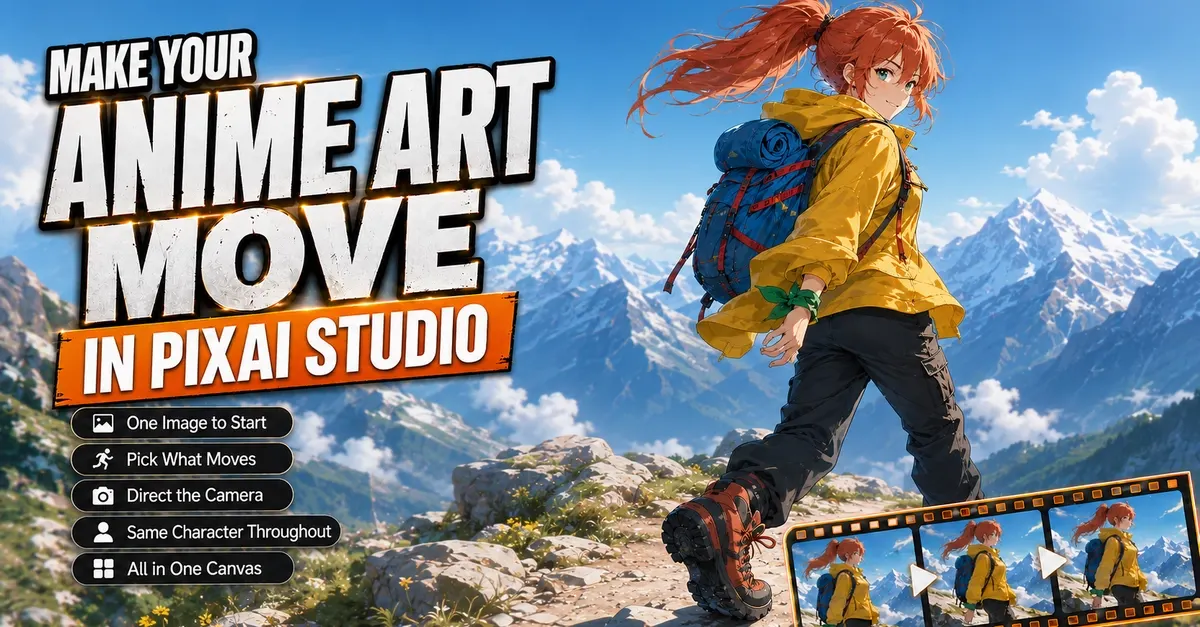
The biggest mistake new creators make when first trying AI animation is trying to move too many elements at once. Pick one main motion for your clip, and add 2-3 small supporting effects to enhance the mood and context. For a hiking character with copper-red hair in a high ponytail, bright yellow shell jacket, and blue backpack with red webbing, the core motion is a slow, steady walking gait. Supporting effects could include a ponytail swaying side to side with each step, a backpack bouncing slightly, and tree branches rustling in a soft wind. Moving every element randomly will make your clip feel disjointed and unnatural, so stick to a cohesive motion plan that serves the scene.
3. Choose Your Animation Scale and Style
Decide if you want subtle ambient motion or full character movement, as this will shape your prompt and final output. Ambient motion (gentle breathing, hair moving in a light breeze, floating dust motes) is perfect for relaxing background content, "study with me" clips, or game idle animations. Full character movement (walking, waving, running) works for narrative shorts, character intros, and cutscene content. Five-second clips are the standard for short-form social media, but you can generate longer clips for YouTube videos or game assets if needed.
4. Import Your Artwork into PixAI Studio’s Image-to-Video Workflow
5. Write a Targeted Motion Prompt
6. Generate and Review Your First Clip
Generate your first clip and judge it on two core factors: does the motion feel natural, and does it match the mood you wanted? Don’t write it off just because it’s not perfect on the first try — most creators need 2-4 attempts to get a polished, shareable clip. For the test hiking animation, it took three tries to fix common issues like overly fast leg movement, warping backpack straps, and inconsistent background motion.
7. Iterate with Single-Variable Changes
Ways to Monetize Your Anime Image-to-Video Skills
Once you’ve mastered this workflow, there are multiple low-effort, high-reward ways to turn your new skill into steady income:
- Freelance animation services: List custom image-to-video clips on Fiverr and Upwork for content creators, indie game developers, and small businesses. Basic 5-second clips start at $50, while more complex projects with custom editing and sound design can fetch $300 or more per clip. Many creators also offer monthly retainer packages for ongoing animation work, bringing in $1,000+ per month per client.
- Sell pre-made assets on Gumroad: Create packs of ambient anime background clips, character idle animations, or transition effects to sell to other creators. Packs of 10-20 clips typically sell for $10 to $30, and you can sell them passively with no ongoing work after the initial creation. Many top creators earn $500 to $2,000 per month from passive digital asset sales alone.
- Build a short-form anime content channel: Post original anime shorts, character animations, and ambient content on YouTube Shorts and TikTok. Once you hit platform monetization thresholds (1,000 subscribers and 4,000 watch hours for YouTube, 10,000 followers for TikTok’s Creator Fund), you’ll earn ad revenue from views. You can also land brand deals with anime merch brands, art tool companies, and streaming services, which often pay $200 to $2,000 per sponsored post depending on your audience size. Top anime short-form creators earn $1,000 to $5,000 per month from these combined revenue streams.
- Work with indie game studios: Many small indie game developers need short cutscene animations, character idle loops, and menu background clips but don’t have the budget to hire a full-time animator. You can charge $200 to $1,000 per project depending on length and complexity, and many studios will hire you for ongoing work if they like your style and turnaround time.
To scale these visual assets for social media, these real-world AI monetization case studies show how to turn short clips into revenue.