Create Custom Travel Itineraries Using AI Agents
Building personalized travel itineraries using LLM agents and structured context
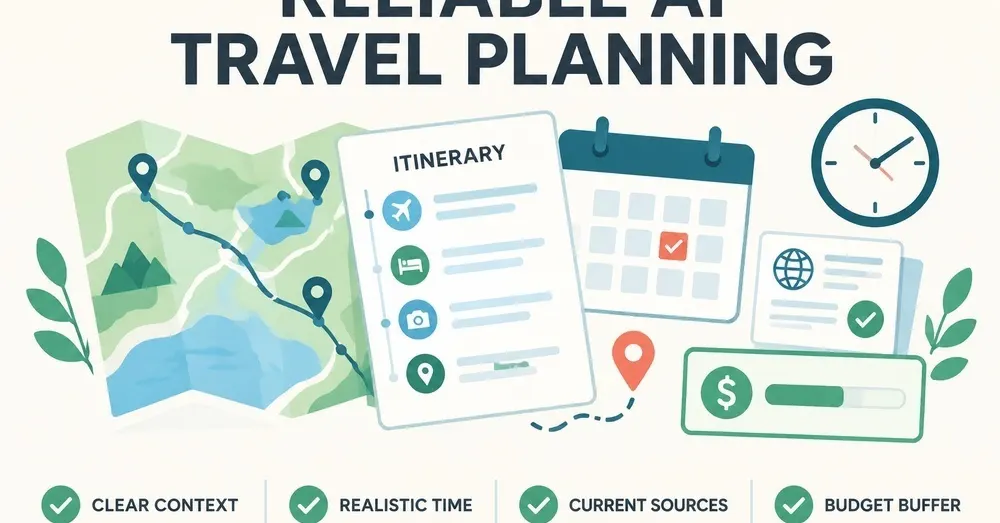
This method is for travelers or boutique travel consultants who need to move from a blank page to a high-fidelity draft in under 30 minutes. It is not for those seeking a "one-click" vacation; if you do not verify the output, you will end up at a closed restaurant or trying to cross a city during rush hour.
What does this workflow cost and how long does it take?
This is a manual orchestration process. You are the architect; the AI is the drafting tool.
- Time investment: 45 to 90 minutes. This includes 20 minutes of "Brief" preparation, 20 minutes of iterative prompting, and 30+ minutes of manual fact-checking.
- Software costs: $0 to $20 per trip. Using the free versions of ChatGPT (GPT-4o mini) or Claude 3.5 Sonnet works for basic drafting. However, a Pro subscription (approx. $20/month) is recommended to access higher reasoning capabilities and larger context windows, which are necessary when feeding in long hotel descriptions or flight itineraries.
- Labor: This is a high-cognitive-load task. You cannot "set and forget" this.
How do you structure the initial Trip Brief?
The most common failure in AI travel planning is "The Vacuum Problem." If you ask for "a 5-day trip to Tokyo," the AI fills the vacuum with hallucinations and generic data. You must provide a structured data block before asking for a schedule. I recommend using a Markdown format to feed the AI. This ensures the model recognizes the hierarchy of information.
Your brief must include these four pillars:
- The Fixed Anchors: Specific dates, flight arrival/departure times, and confirmed hotel addresses. If the AI doesn't know you land at Narita at 6:00 PM, it might schedule a museum tour for 7:00 PM.
- The Physical Constraints: This is where most plans fail. Define the "Walking Budget" (e.g., "Maximum 15,000 steps per day") and "Mobility Needs" (e.g., "Avoid stairs," "Requires elevator access").
- The Pacing Profile: Explicitly state the density. Use terms like "One major activity in the morning, one in the afternoon, and free evenings" rather than "a relaxed pace," which is too subjective for an LLM.
- The Negative Constraints: List what you don't want. "No nightlife," "No seafood," "No high-end fine dining," or "Avoid tourist traps like [Specific Landmark]."
Example Brief Snippet:
Location: London, UK | Dates: June 12-16, 2026 | Base: The Hoxton, Holborn | Constraints: Vegetarian only, no more than 2 museums per day, must include a 2-hour midday rest period.
How do you execute the iterative prompting process?
Do not ask for the full itinerary in one prompt. The model will lose detail as the token count increases. Instead, follow a three-stage execution flow:
Stage 1: The Logical Skeleton
Ask the AI to group your interests by neighborhood. Use a prompt like: "Based on my Trip Brief, group my interests (Art, History, Food) into geographic clusters. Do not create a schedule yet. Just show me which attractions are near my hotel and which are clustered together." This allows you to catch geographic errors—like the AI trying to put a museum in North London and a dinner in South London on the same afternoon—before it writes the full text.
Stage 2: The Temporal Draft
Once the clusters are approved, ask for the daily breakdown. Use Claude 3.5 Sonnet for this stage, as its ability to follow complex, multi-constraint instructions is currently superior for scheduling. Command it to: "Create a day-by-day itinerary. For every activity, include an estimated duration and a transit method (e.g., 20-minute walk, 15-minute Tube ride). Ensure the 'Midday Rest' constraint is respected."
Stage 3: The Logistics Audit
Take the draft and ask the AI to find its own flaws. Use a "Red Team" prompt: "Review this itinerary for logistical impossibilities. Are any travel times unrealistic? Are there any gaps where I have no food options? Are any of these attractions likely to be closed on a Monday?"
Where does this method break?
I hit a major wall when trying to use AI for "real-time" logistics. During a test build for a client in Paris, the AI suggested a highly-rated bistro that had actually transitioned to a "reservation only" model three months prior. Because the LLM's training data has a cutoff, it didn't know the business model had changed.
The "Hallucination of Availability" is the primary failure point. The AI will confidently tell you a restaurant is open for dinner when it is actually a lunch-only spot. It will suggest a train route that exists, but might not run on Sundays.
How does this differ from standard travel sites?
You might wonder why you wouldn't just use TripAdvisor, Wanderlog, or a human agent on Upwork. Each has a specific use case, but they differ fundamentally in how they handle personalization.
- Standard Travel Sites (TripAdvisor/Expedia): These are discovery engines. They are excellent for finding "the best" of something, but they are terrible at synthesizing disparate constraints (e.g., "I want a museum near a vegetarian cafe that is within walking distance of my hotel").
- Specialized Planning Apps (Wanderlog): These are organization engines. They provide great maps and UI, but they don't "think." They won't tell you that your Tuesday is too crowded or that your Wednesday is geographically nonsensical.
- Human Agents (Fiverr/Upwork): These are expertise engines. A human can call a restaurant to check a reservation, which an AI cannot do. However, a human is slow and expensive ($50–$200 per itinerary).
- The AI Agent Method: This is a synthesis engine. It provides the middle ground—the speed of an app with the logic of a human, provided you perform the final verification.
When should you NOT use this method?
Do not use AI-assisted planning if:
- You are traveling to a high-complexity environment with limited English/Local language fluency: AI can struggle with very niche, local transport nuances in non-Western cities.
- The trip is a high-stakes, once-in-a-lifetime event: If you are planning a honeymoon or a multi-thousand-dollar luxury tour, the cost of a single AI error (a missed booking or a closed venue) outweighs the time saved. Use a human professional.
- You have zero interest in fact-checking: If your goal is to "copy-paste and go," this method will fail you. The AI is a drafter, not an author.