Automated PowerPoint Splitting Service via Node.js
Monetizing Micro-SaaS: How to Build an Automated PowerPoint Splitting Service
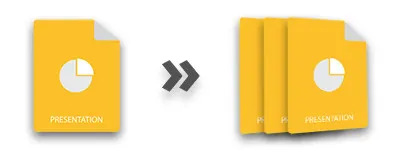
- Custom Range Splitting: Allowing users to define specific slide ranges (e.g., slides 1-10, 11-50, 51-100).
- Individual Slide Extraction: The ability to convert every single slide into its own standalone PPTX file.
- Format Versatility: Support for both legacy .ppt and modern .pptx formats.
- Asynchronous Processing: Handling large files through background tasks so the user isn't staring at a frozen screen.
Step-by-Step Implementation Strategy
To build this, your development workflow will follow a specific pattern: authentication, request handling, and file management.
1. Environment Setup and Authentication
First, initialize your project and install the necessary SDKs. You will need to connect to the GroupDocs Cloud environment using your client credentials. This ensures that your api calls are secure and authenticated.
2. Constructing the Split Logic
Your script will take an input file and a set of instructions. Using the GroupDocs SDK, you will send a request to the cloud server. The beauty of this method is that the heavy lifting—the actual parsing of the XML within the PowerPoint files—happens on the cloud provider's infrastructure, not your local machine. This keeps your operational costs low and your speed high.
3. Implementing Robust Error Handling
In a professional software-development environment, things will go wrong. A user might upload a corrupted file, or a network timeout might occur. Your code must include try-catch blocks and logic to handle async responses. If a split fails, your system should provide a clear error message rather than simply crashing. This reliability is what allows you to charge professional rates on Upwork.
4. Automating File Delivery
Once the API processes the request, the resulting files need to be downloaded and organized. Your Node.js script should automatically create a directory for the user, name the files logically (e.g., "Presentation_Part_1.pptx"), and prepare them for a ZIP download.
Monetization Models: Turning Code into Cash
Once your automation script is functional, you have several paths to revenue:
The Freelance Model (Fiverr and Upwork)
Create a specialized gig titled "I will automate your PowerPoint tasks" or "I will convert large slide decks into modular files." Instead of charging per hour, charge per project. A task that takes your script 10 seconds can be billed as a $20–$50 specialized service.
The Micro-SaaS Model
The API-as-a-Service Model
If your implementation is exceptionally fast and handles edge cases perfectly, you can offer your own API to other developers. This moves you up the value chain from a service provider to a platform provider.
Scaling for Growth
As your user base grows, you must focus on productivity and system stability. Consider moving your Node.js application to a cloud provider like AWS or Google Cloud. Implement a queue system (like BullMQ) to manage large-scale splitting requests. This ensures that if 100 users upload 500MB decks at the same time, your server processes them in an orderly fashion without running out of memory.
By focusing on automation and leveraging existing powerful api tools, you can build a highly profitable business with minimal overhead. The key is to find a repetitive, painful task and solve it with clean, efficient code.